Dictator
Private dictation for iPhone & Mac. Talk, get clean text anywhere, and meeting notes written for you.
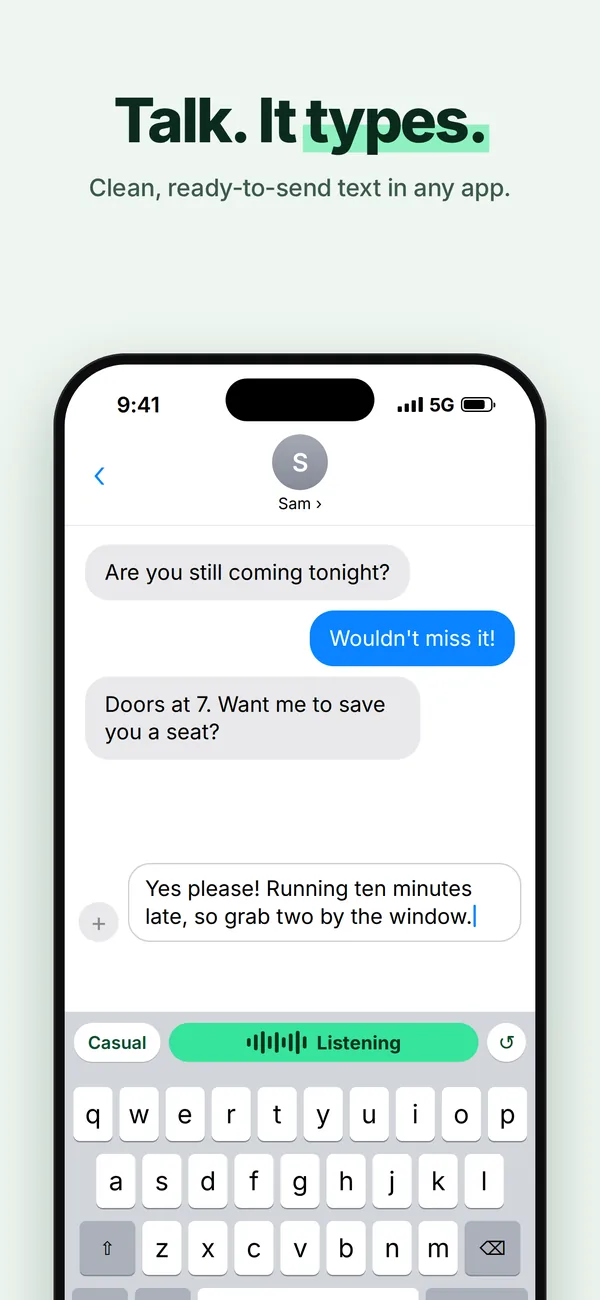
iPhone: tap the mic on the Dictator keyboard. Mac: hold fn and talk.
Swipe for more
Why Dictator
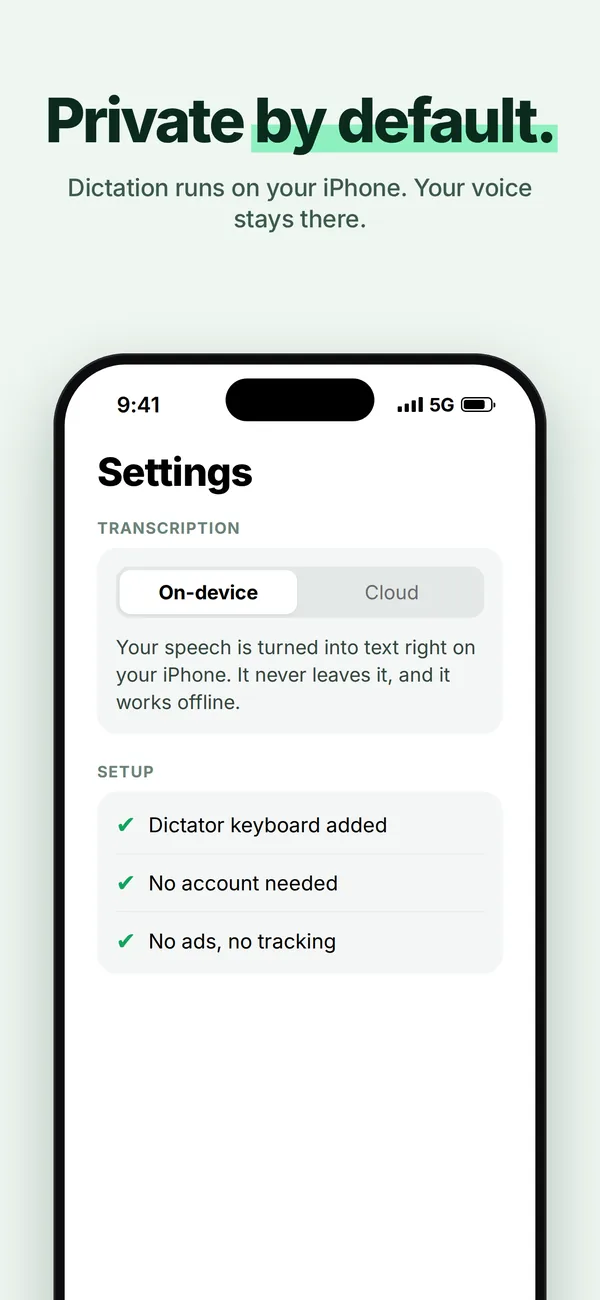
Private by default
What you say is never stored or used to train AI. On-device transcription works with no signal at all.
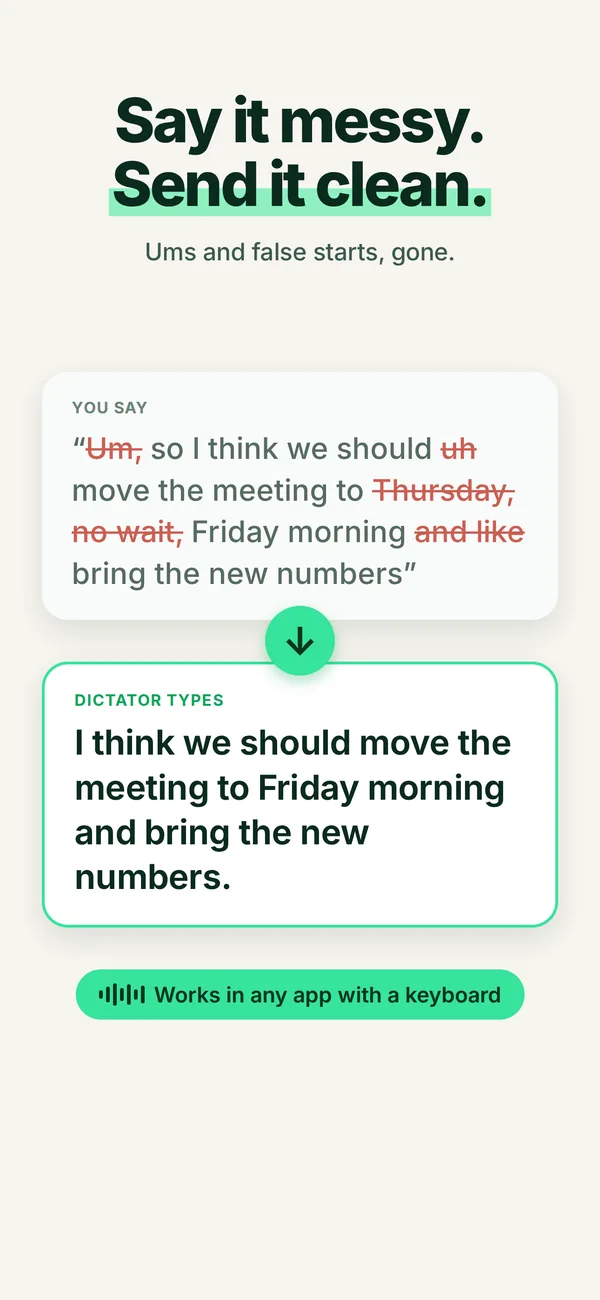
Actually clean text
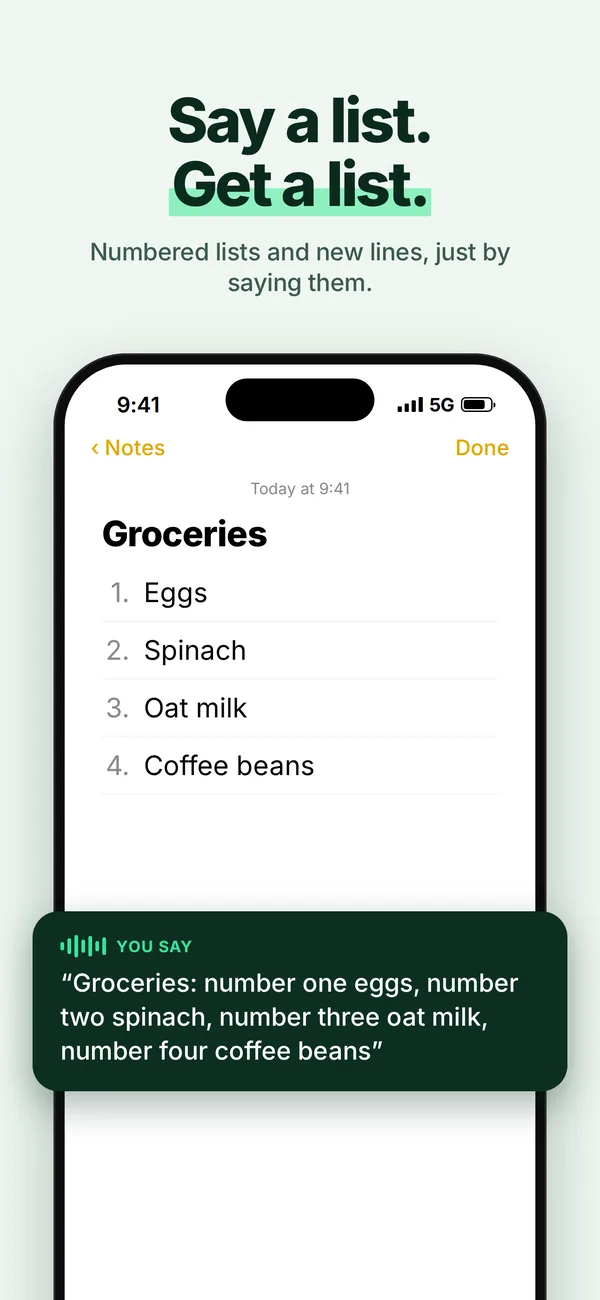
Fixes punctuation and capitalization, drops the "um"s, breaks long thoughts into paragraphs.
Works everywhere
A keyboard on iPhone, a hold-to-talk hotkey on Mac. Text lands where your cursor is.
It respects your music
Records over whatever you're playing — never pauses, ducks, or hijacks your audio.
A whole keyboard
Swipe typing and emoji search built in, so Dictator can be the only keyboard you need.
Polish in one tap
Typed something messy? One key rewrites what's already in the box: typos, punctuation, tone.
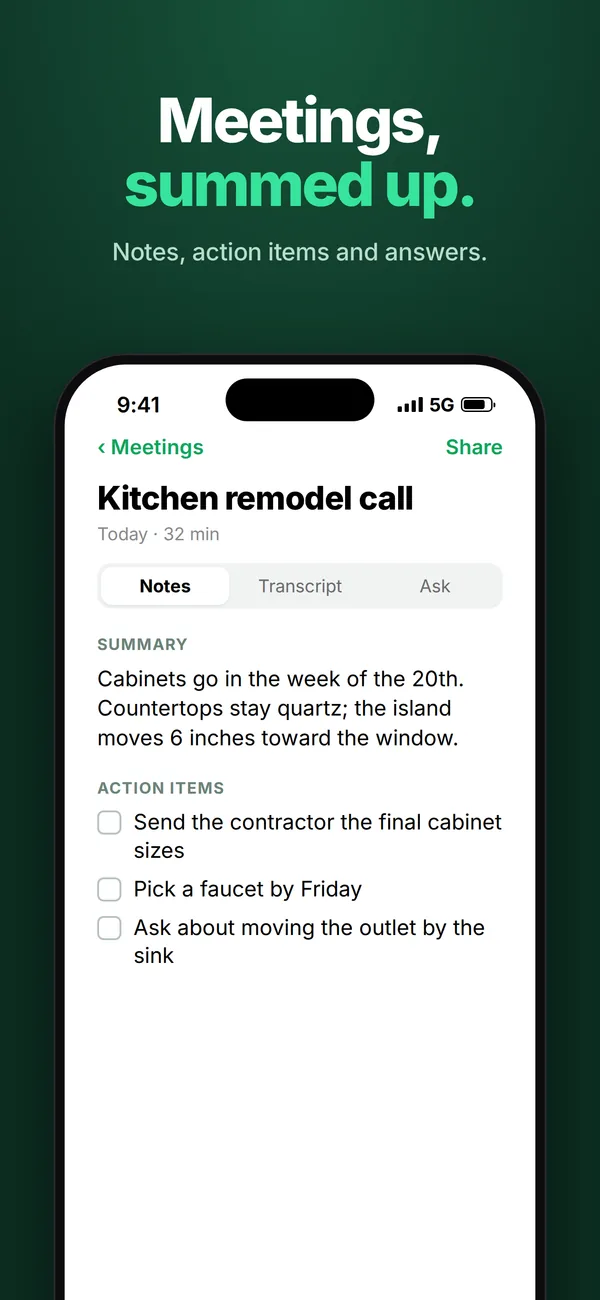
Meetings, written up for you
- Record a meeting or import a voice memo. Dictator writes the summary, the decisions and action items you can tick off.
- A transcript you can search and play. Tap any line to hear it. Ask a question and get the answer from what was said.
- On Mac, both sides of a call. Zoom, Google Meet, Teams, FaceTime, Slack: Dictator records your mic and the call audio, and offers to start when a call does.
- Phone calls on iPhone: record with iPhone's own call recording, then share it from Notes to Dictator for the notes.
On your Mac, just hold fn
Hold the key, talk, let go. Your words land wherever you're typing, in any app.
Early reactions
"I'm blown away by how good this is. You've literally changed my life."
"Been using it all morning — very fast and easy to use."
"This is exactly what I needed."
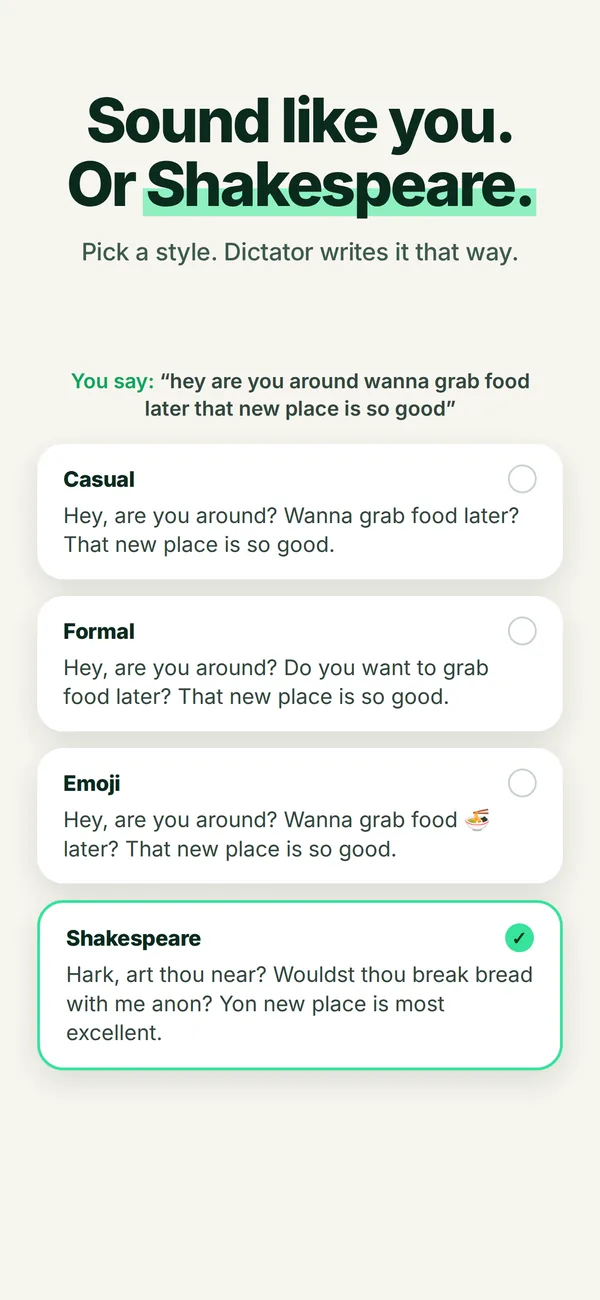
Say it your way
Pick a register and Dictator matches it.
Questions
Why does the keyboard need Full Access?
iPhone keyboards can't use the microphone, so the Dictator app does the listening. Full Access lets the keyboard hand your recording to the app and get the text back, through storage the two share on your phone. The keyboard itself never connects to the internet, and it never logs or sends what you type.
Is my voice stored?
No. What you say is never stored by us or used to train AI. On-device transcription stays on your iPhone; cloud transcription is used only to produce your text. Details are in the privacy policy.
Does it work offline?
Yes. On-device transcription works with no signal at all. And if the signal drops halfway through a cloud dictation, your iPhone finishes the job.
How is this different from Apple's dictation?
Apple types what it hears. Dictator types what you meant: real punctuation, no "um"s, lists formatted, and your own names and terms spelled right. It also records over your music without pausing it.
Which key do I hold on the Mac?
fn (the 🌐 key). Set System Settings › Keyboard › "Press 🌐 to" to Do Nothing so macOS doesn't take it for its own dictation, or choose Right Option in Dictator's settings.
How much is it?
Free to start, and the free plan stays free. Pro is $7.99 a month or $59.99 a year. Until December 31, Pro starts at $4.99 a month for the first 6 months, or $39.99 for the first year. Every download gets 7 days of Pro with no card.
Can it record Zoom, Meet or phone calls?
On Mac, yes: Meetings records both sides of Zoom, Google Meet, Teams, FaceTime and Slack calls, and offers to start when a call does. iPhone doesn't let any app use the microphone during a call, so on iPhone use its built-in call recording (iOS 18.1 or later) and share the recording from Notes to Dictator. Let everyone know you're recording.
What do I need?
iPhone with iOS 17 or later. Mac with macOS 14 or later, Apple Silicon or Intel.
Free or Pro
Every download starts with 7 days of Pro. After that you keep the free plan automatically, with no card and no charge, and your first 2,000 words each week still get Pro quality. Or upgrade in the app.
| Free | Pro | |
|---|---|---|
| Dictate in any app | ✓ | ✓ |
| Words appear as you talk | ✓ | ✓ |
| Swipe typing and emoji search | ✓ | ✓ |
| Punctuation, no “um”s | ✓ | ✓ |
| Restarts and corrections tidied | – | ✓ |
| Nicely formatted and broken up | – | ✓ |
| Writing styles | – | ✓ |
| Polish key for typed text | – | ✓ |
| Speech recognition | On-device | Most accurate |
| Pro quality each week | 2,000 words | Unlimited |
| Meeting recording | ✓ | ✓ |
| Meeting transcript | 30 min each | Whole meeting |
| Meeting notes and action items | – | ✓ |
Pro is $7.99 a month or $59.99 a year. Launch offer until December 31: $4.99 a month for the first 6 months, or $39.99 for the first year.
Private on both plans. Nothing you say is stored or used to train AI. Subscriptions renew until cancelled in Settings.